
Installing Theme
1. Download all files and documentations at ThemeForest > Downloads.
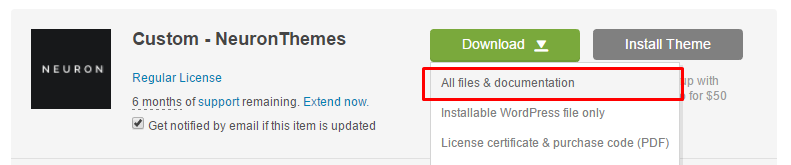
The whole package includes:
- documentation
- dummy-content
- licensing
- {theme-name}.zip
- {theme-name}-child.zip
- readme.txt
2. After installing the WordPress, if you still haven’t, take a look to this article. Go to Appearance > Themes > Add New. Upload only {theme-name}.zip.
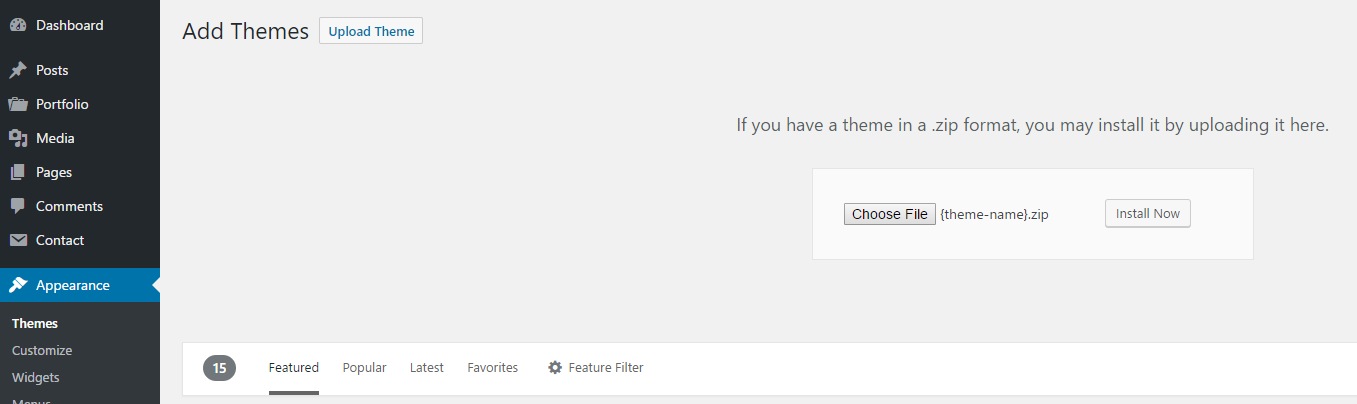
3. Activate the theme and you’re done about installing.

Installing Plugins
1. A warning alert will be displayed at the top of page, press begin installing plugins. If the warning is not displaying, go to Appearance > Install Plugins.

2. Install and activate all plugins, after that your theme is ready to use.
